

 UK
 USA
 Canada
 Australia
 New Zealand
 EU
 Japan
 Singapore
 UAE
 India
 South Korea
Clarity Max 32" UHD 4K Monitor with USB-C Power Delivery


Couldn't load pickup availability
Specifications
Specifications
Downloads
Downloads

"Colorful, rich, and bright — it’s a monster of a display that will wow you for a fraction of the price of many of its competitors"

"The 32-inch models all provide up to 65-watts of passthrough power via USB-C to keep your laptop charged."

"Following up its popular 27-inch display lineup, Alogic has new 32-inch models."

"The Alogic Clarity 32-inch 4k UHD display monitors use IPS panels and four variants suit a wide range of uses."

The technology behind our Clarity monitors hasn’t lost any of its
lustre in
the transition to a bigger screen. They remain a studio-grade tool for creatives
professionals
who rely on accurate colours to work.
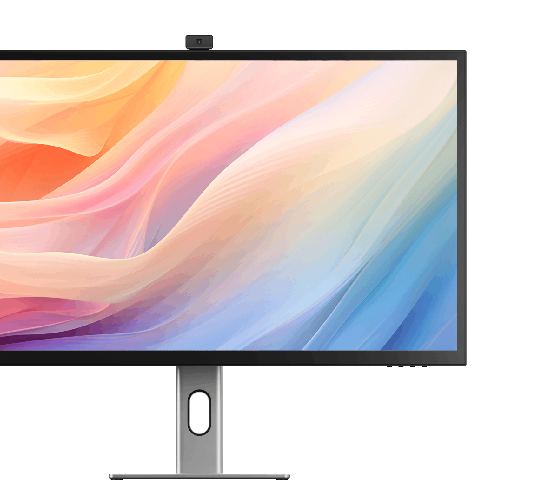
With HDR400 support and a 3000:1 contrast ratio, Clarity Max delivers crisp contrasts
between
its deep blacks and eye-catching brightness. Offering more than 16 million colours across
their
4K Ultra High Resolution display, Clarity Max monitors are the perfect place to realise your
next
masterpiece.


Sitting at the centre of your studio, Clarity Max connects your computer to
everything you need to compose your next piece.
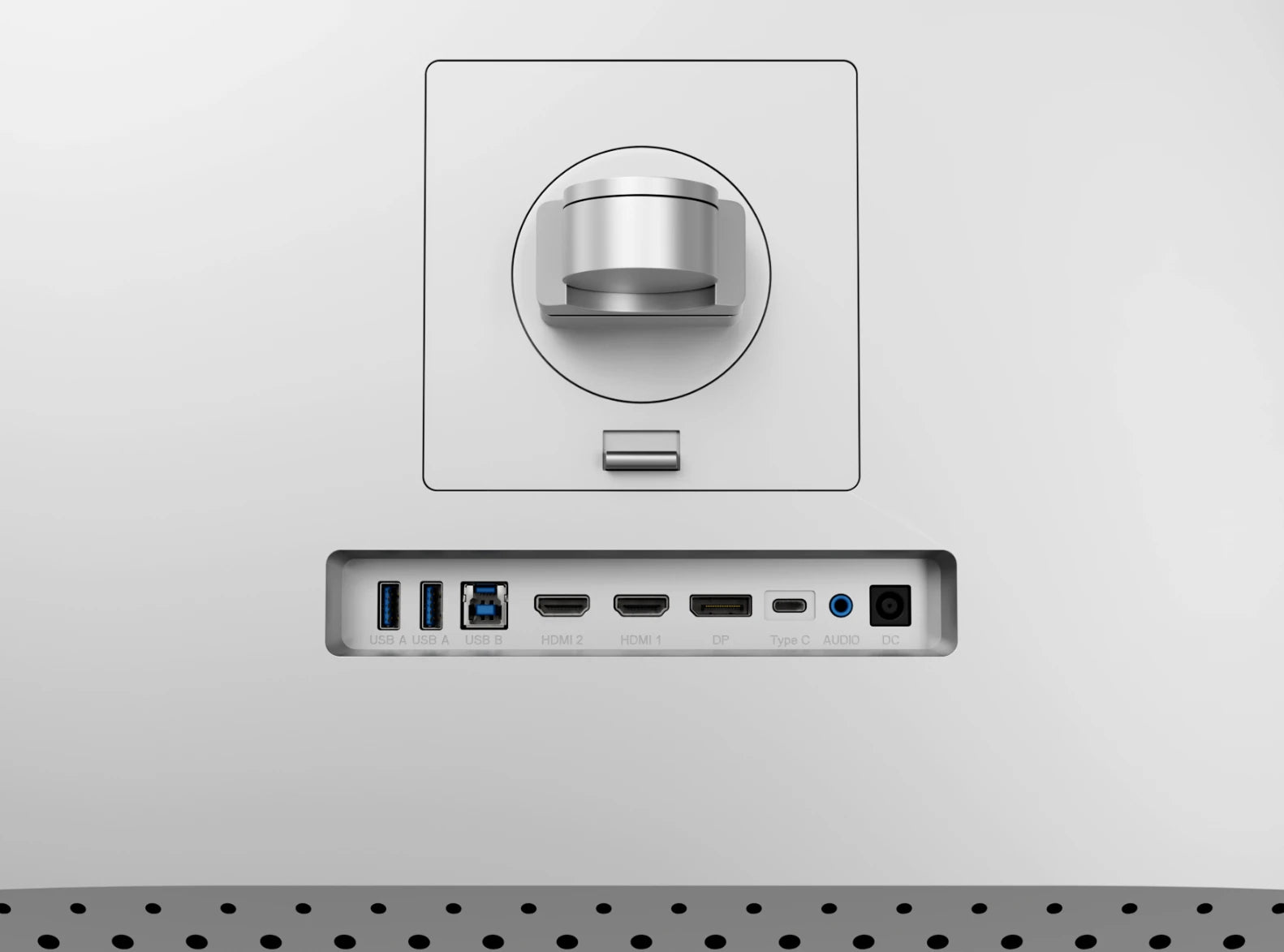
Its rear USB hub connects your computer to two USB-A accessories, 65W laptop charging and your
3.5mm
speakers or headphones – all with the same USB-C cable you’re using for video.


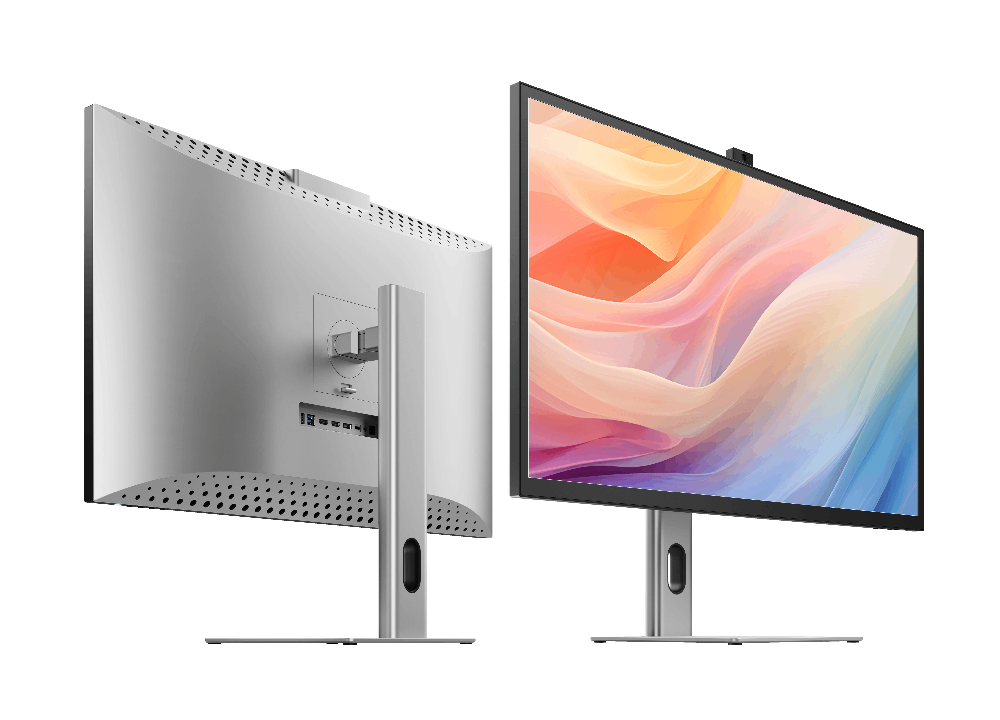
Our aluminium stand makes it easy to position Clarity Max exactly where you
need it, letting you raise, pivot, tilt and swivel the display to fit your desk setup and
maximise
ergonomic comfort.
With Clarity Max, it’s easy to show off your latest design to colleagues, with wide 178° viewing
angles across its broad 32” screen.
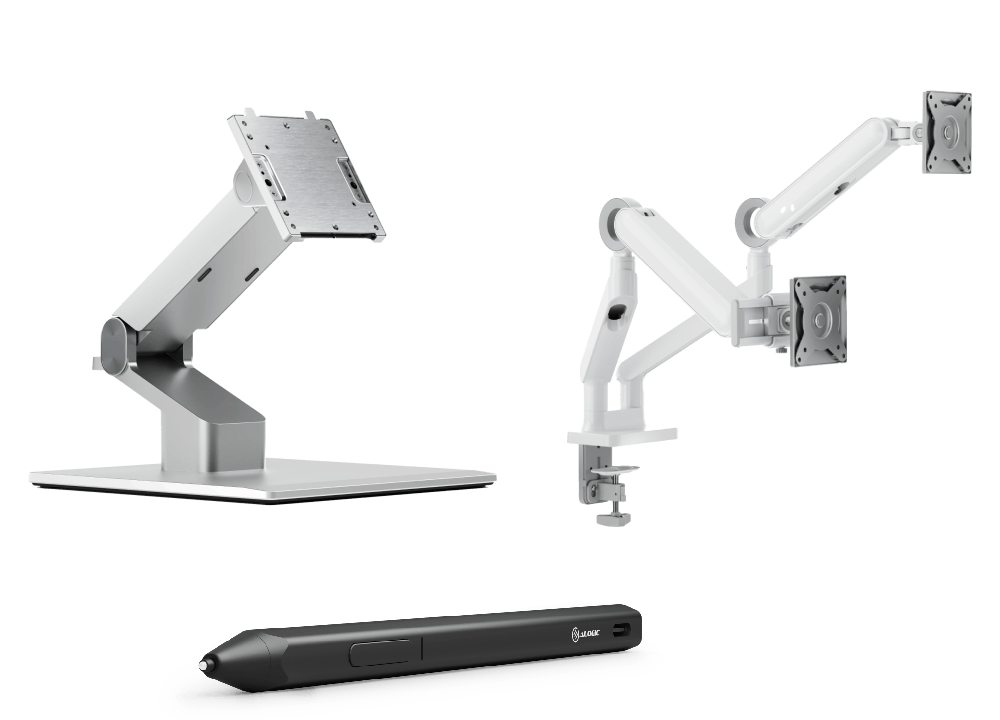
Compatible with 100x100mm VESA Mounts (such as our Clarity Fold Stand and Glide Monitor Arms),
Clarity Max is an easy inclusion in any setup, despite its size.




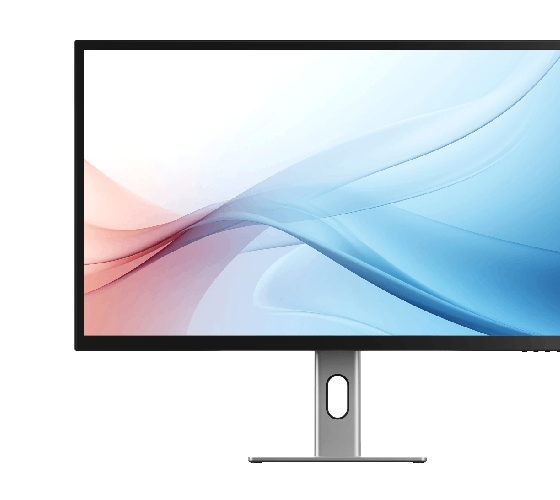

General


As a larger monitor, it’s important to check your monitor stand will support Clarity Max to avoid damaging your monitor.
Clarity Max is 32”, weighs 6.5kg without the stand and measures 725*250*606mm (LxDxH).
1. Connected to Clarity via either:Clarity's USB-C port or Clarity's USB-B port
2. Clarity "Active USB" mode is set to the same USB port you've connected to your computer.
To change Clarity's "Active USB" mode, navigate to "USB Switch" in the "Other Settings" menu of Clarity's main menu.
For example: if your computer is connected to Clarity via USB-C, you would select "Type-C" in the "USB Switch" menu.
However, it does need to plug into a USB-C port compatible with PD (Power Delivery) on your computer.
These can sometimes be identified by the presence of a battery icon next to the port on your laptop, but often you’ll need to check the user manual or manufacturer’s website to figure out which USB-C ports support PD.
All Thunderbolt 3 and 4 ports support PD.
In order to get multitouch working on macOS, you’ll need to install our macOS drivers.
Clarity’s Webcam hasn’t been tested with legacy versions of Windows and macOS.
1. Ensure the monitor is at its maximum height on the stand.
2. Tilt the monitor as far as it can go by pulling its bottom edge towards you.
You can then slowly rotate the monitor without the corner hitting the desk.
Clarity Max’s screen won’t automatically rotate after you move the monitor. To rotate the picture, follow these steps:
Mac
1. Open System Settings -> Displays.
2. Click on your Clarity Max and change ‘Rotation’ to 90° or 270°, depending on which way you turned it.
Windows
1. Open Settings -> System - > Display.
2. Click on Clarity Max, and under the ‘Scale & layout’ menu, switch ‘Display Orientation’ to Portrait or Portrait Flipped, depending on which way you turned it.
Troubleshooting
To resolve the issue, restart Clarity by pressing the power button twice – it should recognize the connected device as part of its boot-up sequence.
If this issue persists, we recommend trying the following steps to isolate the issue:
Connect Clarity directly to your computer
Try connecting with a different cable or port.
ie. Use DisplayPort instead of USB-C
Update your computer’s operating system.
If your problem reoccurs and these these steps do not help resolve it, please contact ALOGIC support (support@alogic.co).
Display
The stats listed below are the average colour accuracy for Clarity Max, although be aware that each panel’s colour
Although each monitor is varies slightly, below are the average colour accuracy stats for Clarity Max.
Clarity Max:
- Gamut Coverage (NTSC): 91%
- Gamut Coverage (DCI-P3): 96%
- Gamut Coverage (SRGB): 99.9%
- Gamut Coverage (Adobe RGB): 97%
- Gamut Coverage (BT2020 CIE1976): 77%
- Average ΔE: <1
Clarity Max Pro and Clarity Max Touch:
- Gamut Coverage (NTSC): 95%
- Gamut Coverage (DCI-P3): 102%
- Gamut Coverage (SRGB): 98%
- Gamut Coverage (Adobe RGB): 110%
- Gamut Coverage (BT2020 CIE1976): 76%
- Average ΔE: <1
If you wish to further calibrate your monitor, you will need to use a third-part calibration tool, such as a Calibrite/Sypder.
I was greatly appreciative of the driver who did the delivery. I was a few minutes away from home when the delivery man arrived at my house, he gave me a call and I asked him to wait for me to get home rather than not delivering the screen. He did so which was amazing and I'm very happy that he did this as he didn’t need to. What I was unhappy about was nothing to do with the delivery person, the box that the screen was in had been damaged quite substantially, the screen hasn’t seemed to be damaged however the damage to the box could well have seriously damaged the screen. Cheers, Dan
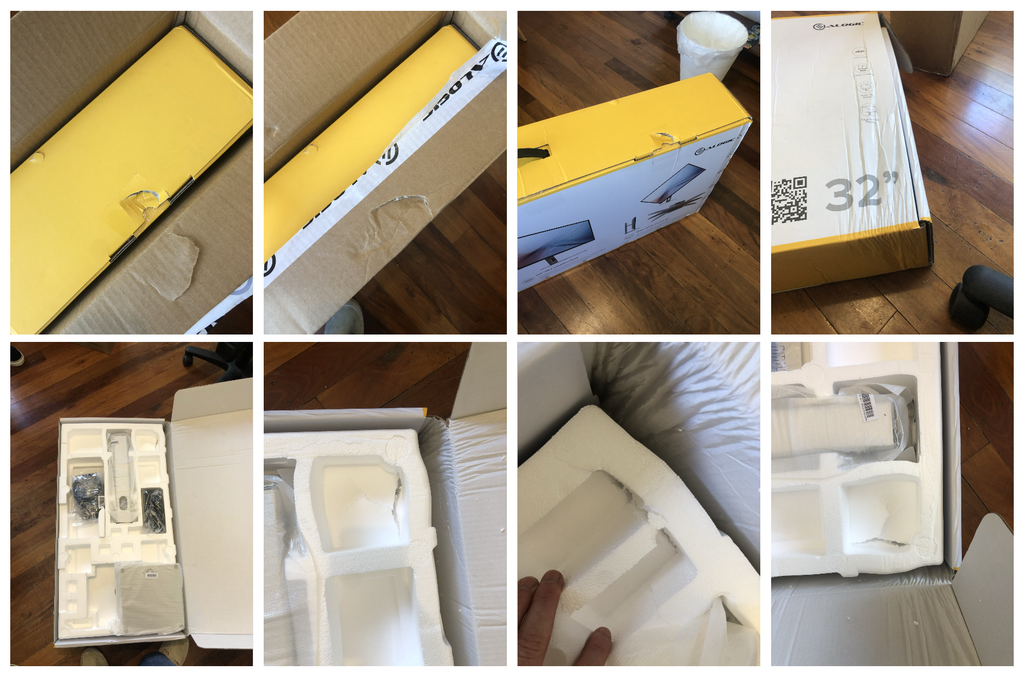
Doesn’t meet my standards. Took forever for me to get ahold of the tracking information. Packaging came ripped open on the side of box. I would really appreciate it if alogic would offer me a return
J’ai reçu mes 2 écrans Clarity dans un délai très raisonnable. Ils sont de très bonne qualité. Les finitions sont impeccables.
Ils sont très beaux. Je suis très satisfaite de mon achat.
Overall good build quality. Instructions, both the printed and online versions, were virtually impossible to read due to such a small font size and light printing, even with a magnifying glass. Monitor exhibits a pinkish/orange cast on areas where it normally is a neutral gray. I have been hesitant to use the adjustment buttons on the base of the screen due to not being able to understand how to navigate them and whether I could actually adjust to better color. Vibrancy appears low as well. Is there a remedy: software solution for adjusting the monitor instead of buttons, or a calibrator you recommend for compatibility? Otherwise, I like the monitor, just not in love with the color rendition. Find myself checking images I process in LR/PS with an iPad and older iMac to verify color integrity. Help? – [****]
Set up was simple. Works very well. Very satisfied
Reminds me of the Mac. Was amazing
I enjoyed how easy this paired up with my MacBook Pro, and the colors are great. Very happy with my purchase.
My new ALOGIC Clarity Max 32" Monitor is a beautiful addition to my workday arsenal. As a Building Designer I was looking for a colour correct and vibrant display for all my 3D rendering work and the ALOGIC Clarity has surpassed my expectations. It has great contrast and brightness and is a joy to be looking at throughout the workday. The build quality and design is solid with clean lines and pleasing finishes. If Form follows Function ALOGIC has found the magic to provide equal measures of both. I would highly recommend these Monitors! I definitely LOVE mine!
Completely happy
The screen is very clear. The colors are beautiful. Fully meets my requirements. I would buy it again at any time.
Beautiful screen and clarity of the pixels are clear.
Good monitor - arrived on time as advertised.
I've come from a 5K 27 inch Apple iMac and it's simply not as good as that - it isn't as bright and the colours are less accurate. I had to fiddle with the settings (using the very fiddly buttons under the screen) for ages to get the image to my taste.
However the 4K resolution is fine and the adjustable stand is excellent - plus I got it on a good Black Friday discount so I won't be returning it - it complements the mac pretty well. I'm not convinced it's worth the undiscounted asking price.
Easy to set up, works perfectly out of the box with my m3 MacBook. Looks beautiful, so much more versatile than the apple studio.
It isn’t an Apple monitor, but it comes close. My only beef is when it’s in HDR mode, it shuts off all the brightness/contrast settings.
Bigger and thicker than I expected but glorious in use.
画質も良く、本体の質感も高いので基本的な性能や外観は満足しているのですが、画面内に直径3mmほどの傷があり、それが残念です。
ガラスの内側にある傷なので、配送時に傷ついたのではなく、おそらく製造過程の中でついたものだと思われます。
かなり目立つので出荷時のチェックで気づきそうではあるのですが…
デュアル用としてもう一台購入を考えていましたが、この点が怖いので多分見送ります。
Wow. For general business use this thing is every bit as good as my 27” Studio display at half the cost and 32”!
Having spent 6 years with Apple's 27" Retina, I wanted something bigger, but without the eye-watering cost of the Pro XDR. After months of reading/watching reviews of all the other options, I finally opted for Alogic's 32" Clarity.
For the price, you can't knock it all. Superb stand which is heavy, beautifully constructed and adaptable, large glossy screen and great performance. As other's have stated, it's a little 'hissy' if you are in a silent room and the screen performance is nowhere near Apple's Retina, but it is a 7th of the price, and that I can most definitely live with!
It does take some configuring to get the screen to where I need it for professional purposes, and the control buttons can be a bit of a faff at times, but once done, it really is a decent monitor for the price and I'm unsure why more people are not singing it's praises?
Initially purchasing a 27”
However finally decided on the 32”.
Very happy. Great build quality and solid feel when out of the box. Seamless connection to my Mac. Amazing resolution. Highly recommend.
Only issue for me: working in a very small home office (size of a shoebox), and could really do with little more distance between the monitor and my eyes, so make sure you have adequate space. It’s quite large.
Apart from that, an awesomeness ‘Apple alternative’ display for an even more awesomness price.
Awesome product for my MacBook Pro
This monitor is decent for the price you pay - it looks pretty good (a little glare-y in the wrong light) and sometimes it takes a while to wake from sleep. It’s also a little loud. But these are all nitpicks, besides this it’s a great monitor for all kinds of applications / work / entertainment.
Very happy with the purchase, super clear, uniform, sharp with vibrant picture and accurate colours. Only downside are the built in speakers.
Great Screen .......if you have the money , it's worth it !!!
Fantastic product. This is the second one I have bought. Great for CAD as line definition is very sharp and colour quality also very good.
love the screen. The controls are recessed and more difficult then they ought to be to switch inputs. Doc isn’t comprehensive for navigating the menus.
Cannot praise this product highly enough. Fantastic value for money. The screen is bright and the graphics are great — my use is primarily for CAD and the lines are all sharp and the graphics crisp and not fuzzy at all. I have not tested against any colour standards but the depth is there and do not look to over saturated and are certainly not washed out either. Also haven’t had the occasion yet to twist the screen into portrait mode yet, but what a facility!
Worked straight out the box with my MacBook Pro — I am working between Australia and the UK and I will be buying another one on my return!
I’m very happy with my new 32” Monitor and docking station especially the interoperability and quality workmanship. Thank You!
You guys are amazing. I ordered it one day and it arrived the day after. Loving the product and the service is next level. Many Thanks.
I got the Clarity Max 32" UHD, and it is amazing. I love the design; it looks very Apple-like but is actually better than the studio, in my opinion. Being 4 K instead of 5 K doesn't seem to be a problem in any way, and I am glad I got the 32" version. The glossy finish creates a beautiful picture, although I admit it has much more reflection than I expected, especially on a sunny day. However, I would rather have the reflection than give up the gloss. I can't think of anything to improve. One thing that bothers me is that I can't figure out from the website whether Alogic is from Australia or New Zealand.