Skip to content
Black Friday Sale | Up to 30% Off
🚚 Express Free Delivery
UK
Cart
Welcome to the Cutting Edge

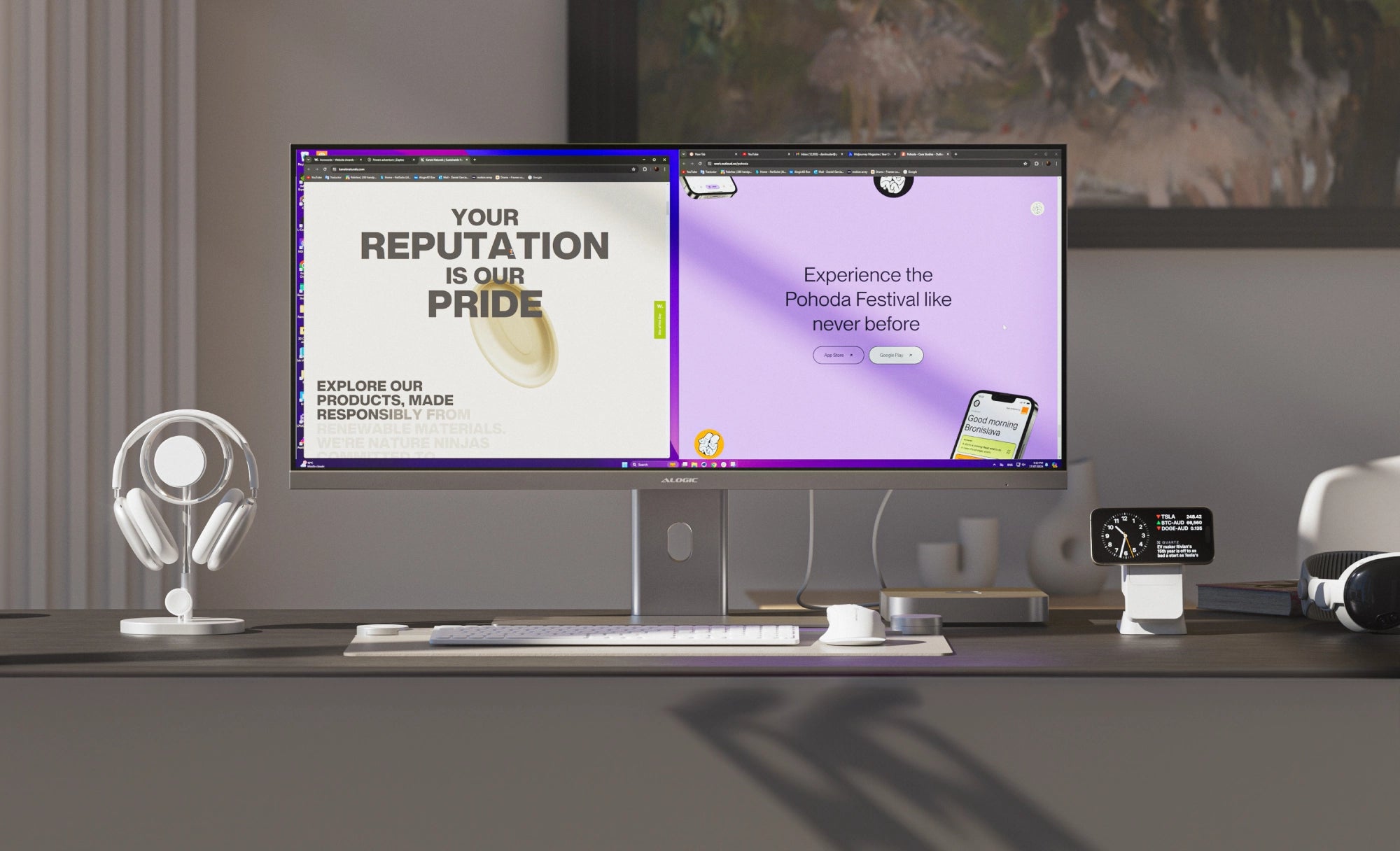
Spectacular. Ultrawide. Laptop Charging. Edge is the perfect centrepiece for your workspace at home or in the office.

See More in Ultrawide

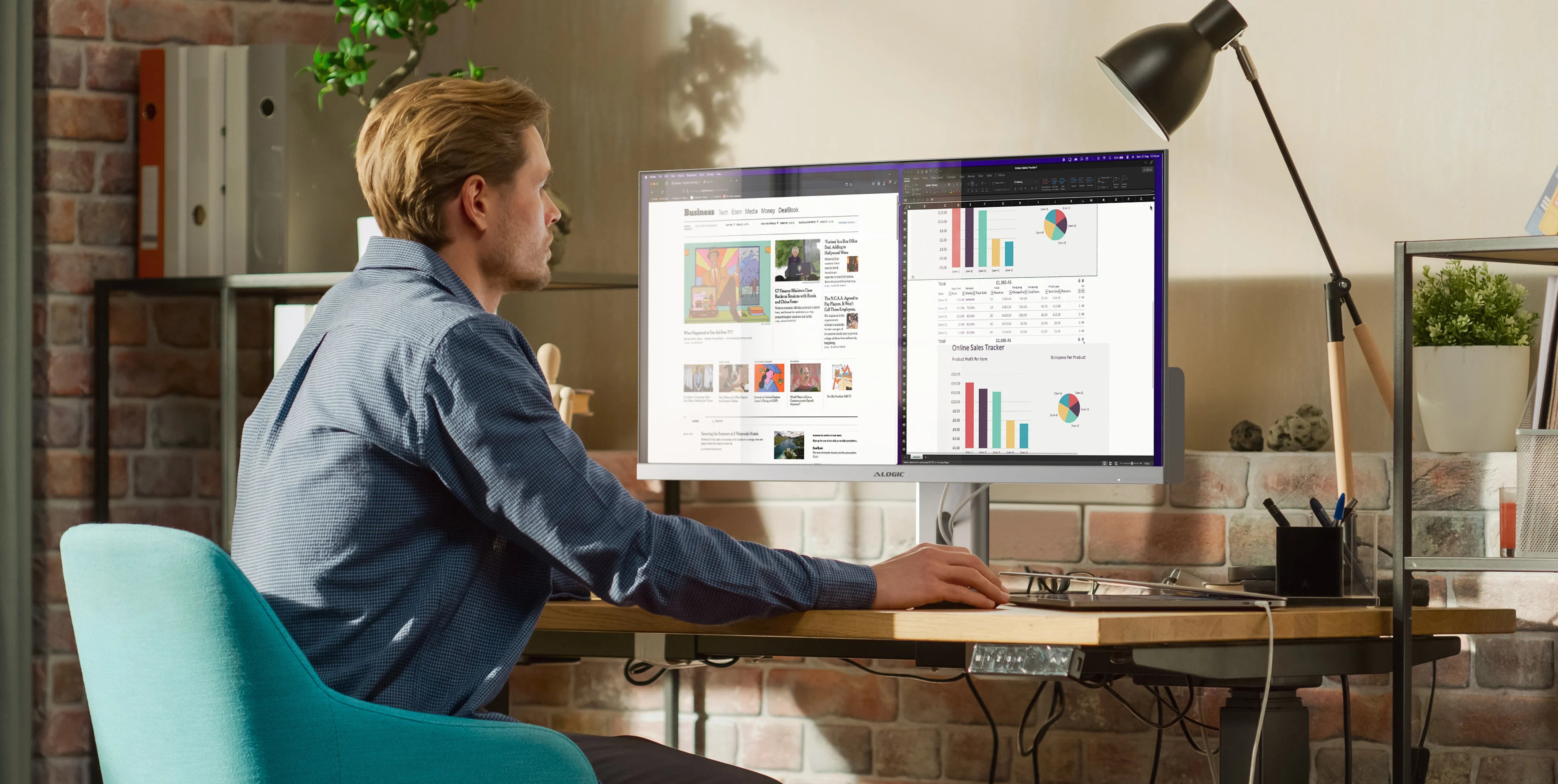
Edge's 21:9 ultrawide screen is perfect for video editing, music composition and handling spreadsheets that can't be contained in 16:9.

Perfect for Multitasking

With apps snapped to the left and right, Edge delivers all the benefits of a dual monitor setup without the hassle of juggling windows.

Smooth Scrolling

Edge's 100Hz refresh rate simply makes it more pleasant to use than 60Hz screens, with flowing motion and less flickering.

The Heart of Your Workspace
3440x1440
Resolution
100Hz
Refresh Rate
21:9
Aspect Ratio
178°
Viewing Angle
400 nits
Max Brightness
16.7
Million Colours
Cutting Edge Connectivity

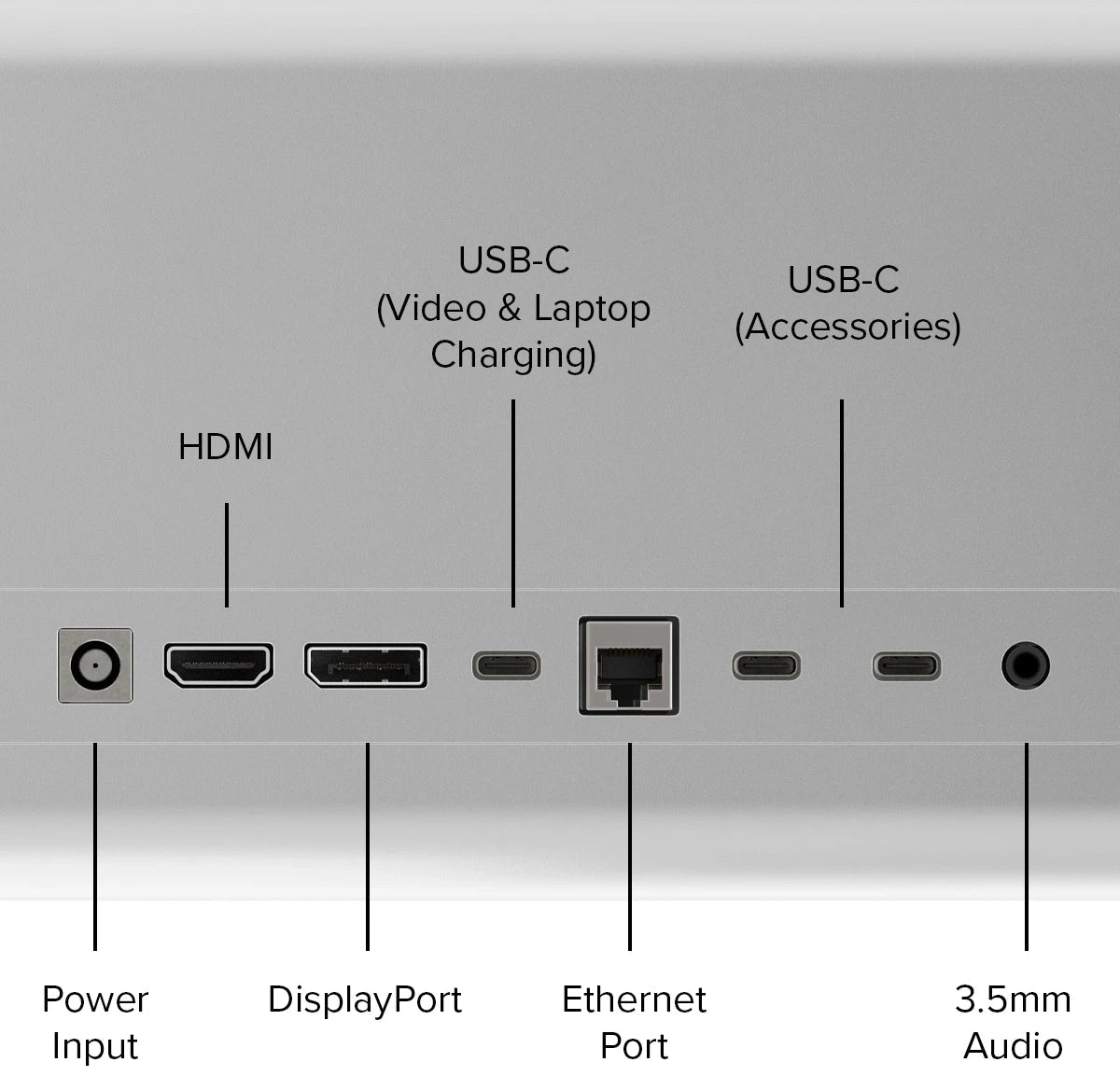
Edge’s inbuilt USB-C hub has everything you need to get things done.

Style Meets Substance
Multitasking

Edge’s 3440x1440 resolution has plenty of space for your two favourite apps to sit side by side.

Style

Beautifully tempered glass and expertly finished aluminium create Edge’s timeless aesthetic.

Connectivity

Edge has ports for three video options, laptop charging, two USB-C accessories, audio and Ethernet.

Elegance in Every Millimetre

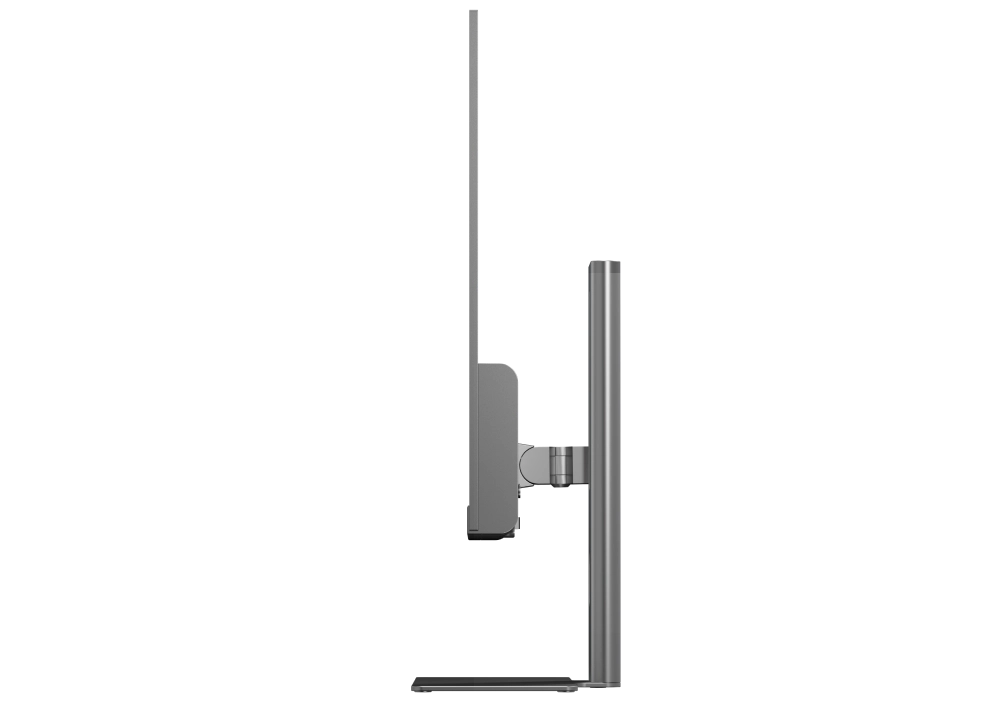
Edge’s sleek design echoes the devices you already love, while its unbelievably thin screen charts a bold new course for monitors.

Matches Your Mac

With Silver and Space Grey options, Edge is the perfect companion for your MacBook, Mac Mini or Studio.

The Perfect Desktop

Edge is the perfect aesthetic complement to our growing range of mice, keyboards, ergonomic laptop mounts and wireless chargers.

Cutting Edge Design

Expertly crafted from beautifully tempered glass and machined aluminium, the only thing more spectacular than Edge's 8mm thin frame is its bright ultrawide screen.

Cutting Edge Sustainability

To safeguard the planet, Edge is engineered from 80% recycled aluminium and sustainable glass, reducing harmful plastic while maximising energy efficiency.

Multitasking Made Easy

With updates to Mac and Windows, arranging apps is easier than ever before. To snap two windows side by side, simply grab and drag an app to the left or right edge of the screen and wait for the translucent half-screen preview to appear, then let go.

For more complex layouts as well as some handy tips and tricks, we recommend taking a look at Microsoft and Apple’s official guides to window arrangement.

Safe and Secure

Edge’s Kensington Security Slot (K-Slot) keeps monitors safe down when deployed on hot desks, in shared working spaces or in difficult-to-secure customer-facing environments.

Elevate Your Office
Frequently Asked Questions

General

Does Edge support VESA Mounting?
Yes, Edge supports 100x100mm VESA mounts. As a larger monitor, it’s important to check your monitor stand will support Edge to avoid damaging your monitor.


Edge 34”: 815*41*367mm, 6kg
Edge 40”: 941*41*419mm, 7.4kg
How should I connect Edge to my computer?
If your computer supports USB-C video (Thunderbolt or DP Alt Mode) we recommend using the included USB-C cable to connect to Edge, as this will also connect your computer to Edge’s Ethernet and USB-C accessory ports as well as power delivery. If your computer does not support this, HDMI and DisplayPort will both give you a full quality picture using Edge.
How do I charge my laptop with Edge?
To charge your laptop via Edge (up to 90W), simply connect it to the monitor via a USB-C cable which supports the required wattage. However, it does need to plug into a USB-C port compatible with PD (Power Delivery) on your computer. These can sometimes be identified by the presence of a battery icon next to the port on your laptop, but often you’ll need to check the user manual or manufacturer’s website to figure out which USB-C ports support PD. All Thunderbolt 3 and 4 ports support PD.
Does Edge work with Mac, Windows, Chromebook and Linux?
Yes, Edge monitors have been tested with all major operating systems.
My Edge monitor does not have a Kensington Security Slot!
The earliest batch of Edge monitors do not include a K-Slot.

Compatibility

What locks is Edge’s Kensington Security Slow compatible with?
Edge’s Security Slot should be compatible with all standard K-Slot locking systems, but not Kensington Nano or Kensington Wedge locks.

Display

Why is the image on my monitor stretched out?
If the image on your screen looks stretched out or distorted, the most likely reason is that your computer isn’t sending the right video feed.
Windows:

1. Open “Settings” from the Windows Start Menu.
2. Navigate to “System” then “Display”.
3. In the bottom left corner of the window showing the displays, ensure it’s set to “Extend these Displays” and not “Duplicate these Displays”.
4. Ensure the resolution is set to “3456x1440” or “3440x1440”, whichever appears in your options list.

Mac:
1. Open your computer’s “System Settings” menu (click on the Apple icon in the top left corner) and navigate to “Displays”.
2. Click on your Edge monitor.
3. Make sure “Use as” is set to either “Main Display” or “Extended Display”, not “Mirror”.
4. In the list of available resolutions, ensure Edge is set to either “3456x1440” or “3440x1440”, whichever appears in the list. If this doesn’t work, try resetting Edge’s settings to factory default – open the monitor’s menu by pressing in the joystick, navigate down to “System Settings” then select Reset.
If these steps don’t resolve your problem, please reach out to support@alogic.co and we’ll help you figure out what’s going wrong.
Can I disable the “ALOGIC” light on the rear of the monitor?
No, the ALOGIC light cannot be manually turned off or on.
Does Edge support Picture in Picture?
Yes, Edge supports Picture in Picture (PIP) and Picture by Picture (PBP) modes, which can be activated via the “Multi-Window” section of the monitor’s settings menu, under “Picture”.
How can I set up multiple windows for multitasking?
On the latest versions of Windows, macOS and most versions of Linux, arranging two windows side by side is as easy as selecting and dragging an app or window to the edge of the screen, waiting until a translucent outline appears over half the screen, and releasing. For more information on these features and advanced tips, consult Microsoft and Apple’s official help pages.

Compatibility

What locks is Edge’s Kensington Security Slow compatible with?
Edge’s Security Slot should be compatible with all standard K-Slot locking systems, but not Kensington Nano or Kensington Wedge locks.
  • 5 stars: 14 (61%)
  • 4 stars: 6 (26%)
  • 3 stars: 3 (13%)
  • 2 stars: 0 (0%)
  • 1 star: 0 (0%)
R
Rita Greenwell
ALOGIC 40

Love the size of the screen and it's clarity; makes working with multiple screens open so much more effective, and allows for spreadsheets with extensive columns to be viewed with ease. My only criticism is that the screen can't be lowered further. I am quite short and it would have been perfect if could have been lowered further (my only reason for dropping a star). It's a brand I'm unfamiliar with, but after the disappointing option of monitors in a local electrical store I put 'ultrawide screen monitor' in google and this was the first to appear. My husband now has screen envy and likely to buy one for himself... Highly recommend this brand.

G
G Joseph McGlinchey

40" EDGE 21:9 Ultrawide QHD (3440x1440) 100Hz Monitor with USB-C Dock and 90W Power Delivery

S
Simon
An epic and brilliant edition to my workspace

Love this as my secondary monitor, to my primary which is an XPPen 22" display. The resolution matches. The only complaint is that the Alogic onscreen controls are annoying to navigate with the tiny button on the back. The button is too small and sensitive to minor movements.

K
Kerry

Beautifully made display. The built in docking station makes the transition from work to home a breeze. With 3 sources (USB-C, HDMI and DisplayPort) its easy to connect other devices. Screen is stable on its mount, be warned, the stand, base and display are heavy!

P
Prince C

Good stuff

R
Ryan Friend

40" Edge 21:9 Ultrawide QHD (3440x1440) 100Hz Monitor with USB-C Dock and 90W Power Delivery

G
Gary madgin

40" EDGE 21:9 Ultrawide QHD (3440x1440) 100Hz Monitor with USB-C Dock and 90W Power Delivery

B
Brian Rose
Screen is great, but.................................... !

Screen is great, but their returns policy take forever to firstly send it back, get a reply and then getting your payment very poor, so be carefull !!!

G
Gareth Davies
40" Productivity Powerhouse

I had seen these monitors advertised for a while and loved they way they looked. I was nervous of buying one because they weren't a well known brand and reviews were limited (but broadly positive). In the end I took a leap of faith and bought the 40" Edge. I work at home and use the monitor for primarily for editing documents. It's changed the way I work and allows me to be much more productive. I also edit a few photos and if I have a regret, it's not spending a bit more and getting the 5K. The reasons they lost a star are 1. It took 6 weeks to arrive. If I had know that at the start, I would still have ordered it, but it would have saved a lot of stress; and 2. The in built speakers are not good at all. That's common for monitor speakers and I have fixed it by bying some reasonable plug in's. I gebnerally only need the sound for Teams meetings anyway

M
Mike Tambling
So far so good

Nice screen. It’s a bit wobbly though on stand which is a worry.

O
Owen Mahoney
Love the Edge 40

A great monitor. Easy to set up, very easy on the eyes. You can never have enough screen real estate, and this provides it. Worth every penny.

S
StarbBuckna
Excellent monitor

the 40” monitor is excellent. Good packaging and simple to assemble. Long, long wait for delivery but worth it. Would be nice to have an additional USB-C jack.

c
chris vw
Great monitor.....horrible shipping so be ready to wait.

Love my new monitor.....ZERO issues with quality. Shipping is another story. I ordered my monitor on September 30th and did not receive it until October 13th. Way too long to wait.

P
Paul
questionable quality control. good service.

I really wanted to like this monitor. The first order arrived 30 days after payment. It was damaged and had clearly been used (abused), returned, and shipped without any kind of inspection. The Customer Service team was helpful in resolving the issue. However, the replacement order arrived another 3 weeks after that. Unit was in much better shape and looked new. It's easy to setup. The build quality seems mid...time will tell how it holds up. The matte/anti-glare screen is nice. Fingers crossed.

J
JMS ImmobilienManagement GmbH

TOP JOB Thank You

T
Tom Vanbeneden
Great screen

These first few weeks working with this screen has been amazing. Easy to install - easy plug and play/work. The large screen is really helpfull in putting different documents next to each other to compare, drag and drop and actually works better then 2 different screen next to each other. At this moment I can recomeend this screen to everone for work, gaming or watching series/movies via PC

P
Philip Harvey
Super screen

Fantastic

F
Francis Malabanan
Awesome Monitor - You never go wrong

I have been searching for an ultrawide monitor for some time and I found that many options are either prohibitively expensive or offer only average performance. This monitor, however, has exceeded my expectations. The build quality is excellent, and the setup process was straightforward. I am thoroughly impressed and would highly recommend it.

A
Alex.R
This monitor is a Game Changer for My Work Setup!

"I bought this monitor from ALOGIC, and it's absolutely impressive. It's perfect for multitasking, content creation, and everyday use. I highly recommend it—truly amazing!"

J
James Smith
I am enjoying this screen!

This screen is huge. It has transformed the way I worked earlier. The visuals are crisp. It has all the basic ports buit in. I found it ideal for multitasking, content creation, and regular tasks. It will add efficiency to your workspace! 👍

J
James
I love my workspace now.  

This 40 inch Ultrawide Monitor addition to my workspace is honestly the best investment I’ve made in a while. I can have multiple windows open side-by-side without feeling cramped. I am using it for both work and entertainment and the refresh rate is good as I don't feel any lag while playing games sometimes. The USB-C hub has all the ports, my laptop stays charged and connected with just one cable. The stand is a beauty. A 4.5 on 5!

O
Ollie garrick
don’t know how I worked without it before.

I’m someone who’s constantly jumping between tabs, editing videos, and joining Zoom calls. This monitor just makes everything smoother. The ultrawide screen means I can have my timeline, preview window, and notes open all at once. No more flipping back and forth.

G
Geary john
Finally got hold of it!

It was announced much earlier. I was waiting for this screen to be available. Finally I received it after waiting almost for a month but the wait was worth it. The Edge 40 did not disappoint me. The display offers stunning colours, and the extra screen space makes multi tasking smoother.  The glass and aluminium finish looks premium on my desk. I’m also loving the array of ports on this monitor. It is a good buy.